
Creating Production-Ready CLI Tools with Go 1.22's Built-in Flags System
Introduction
Command-line tools are the connective tissue of modern infrastructure. Deploy scripts, log scanners, health checkers, migration runners, and Kubernetes helpers are usually small programs that run unattended in CI pipelines, cron jobs, and incident-response terminals. A tool that fails with a cryptic stack trace at 3 AM, or silently accepts a typo’d option, costs real time and sometimes real money.
Go is a natural fit for CLIs. It compiles to a single binary, starts quickly, and cross-compiles with one environment variable. Many developers reach for a third-party framework like Cobra immediately, but Go’s standard library flag package is often enough for a small utility. It adds no dependencies and provides typed values, usage text, and parsing out of the box.
The flag package predates Go 1.22; this guide focuses on practical patterns you can use with Go 1.22 and newer. The examples below are based on the flag demonstrations in the go-playground repository.
Prerequisites
Before starting, you should have:
- Go 1.22 or newer installed (
go versionto check) - Basic Go knowledge: functions, structs, and error handling
- A terminal and a text editor
No third-party packages are needed for these examples.
Defining and Parsing Flags
The flag package follows a three-step pattern: define flags, parse the command-line arguments, then use the resulting values. Var functions bind flags to variables, while Parse processes the command-line arguments. Non-flag arguments are available through flag.Args().
This example is adapted from go-playground/flag. It demonstrates integer, string, boolean, and duration flags, along with a required positional URL:
package main

import (
	"flag"
	"log"
	"time"
)

var (
	username, password string
	maxRetry           int
	randomUserAgent    bool
	timeout            time.Duration
)

func main() {
	flag.IntVar(&maxRetry, "maxRetry", 3, "Number of retries")
	flag.StringVar(&username, "u", "", "Basic authentication user")
	flag.StringVar(&password, "p", "", "Basic authentication password")
	flag.DurationVar(&timeout, "t", time.Second, "sleep period")
	flag.BoolVar(&randomUserAgent, "ua", false, "Use a random user agent")
	flag.Parse()

	args := flag.Args()
	if len(args) == 0 {
		log.Fatal("url is required")
	}

	log.Printf("retrieve url %s for max %d with randomAgent=%v and a timeout of %s",
		args[0], maxRetry, randomUserAgent, timeout)

	// Never print credentials to logs.
	if username != "" && password != "" {
		log.Print("basic authentication is configured")
	}
}
For example, run it with:
go run . -maxRetry 10 -ua -t 5s https://www.google.ro
go run . -u john -p doe https://api.github.com/v3
go run . -h
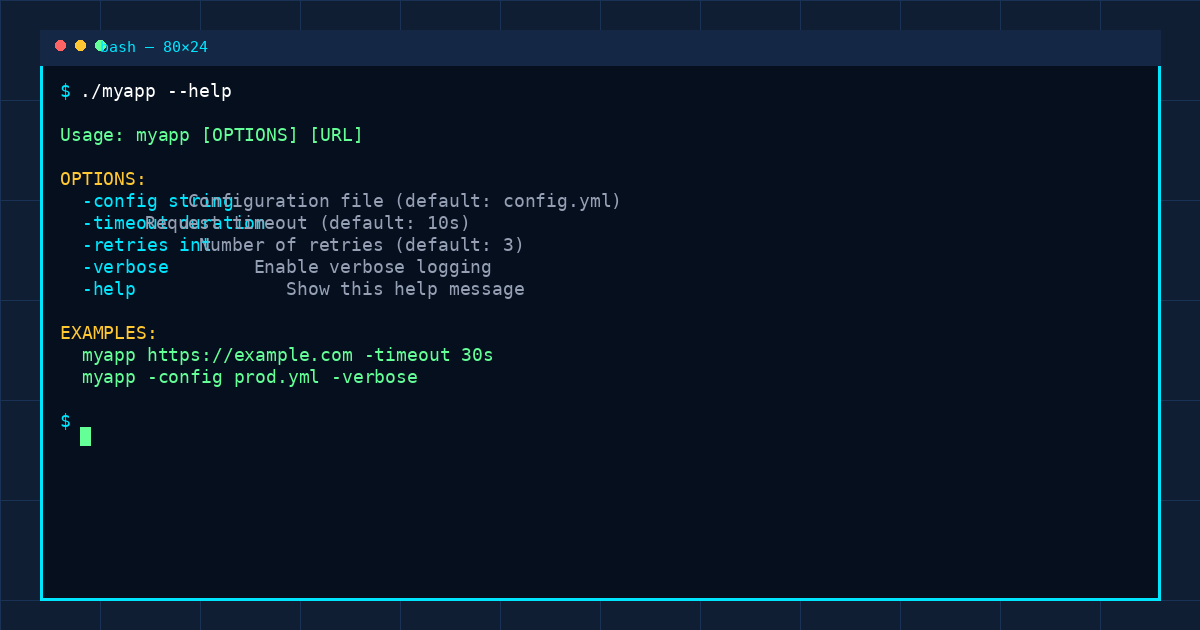
The help output is generated from the flag names and usage strings. Duration flags use Go’s duration syntax (500ms, 5s, 2m). Boolean flags can be enabled with -ua or explicitly set with -ua=true.
The example uses the package-level flag set for brevity. For reusable code and isolated tests, create a flag.FlagSet, bind flags to a configuration struct, and inject the argument slice rather than relying on global state.
Custom Values with flag.Value
Built-in flag types cover common cases. To parse a custom format, implement flag.Value, which requires a String() string method and a Set(string) error method. The flag-extend example uses this interface to parse a comma-separated list of durations:
package main

import (
	"errors"
	"flag"
	"fmt"
	"strings"
	"time"
)

type interval []time.Duration

func (i *interval) String() string {
	return fmt.Sprint(*i)
}

func (i *interval) Set(value string) error {
	if len(*i) > 0 {
		return errors.New("interval flag already set")
	}

	for _, part := range strings.Split(value, ",") {
		duration, err := time.ParseDuration(part)
		if err != nil {
			return err
		}
		*i = append(*i, duration)
	}
	return nil
}

var intervalFlag interval

func init() {
	flag.Var(&intervalFlag, "deltaT", "comma-separated list of intervals between events")
}

func main() {
	flag.Parse()
	fmt.Println(intervalFlag)
}
Try it with:
go run . -deltaT 100ms,120ms,10s,1m
flag.Var connects the custom value to a flag. The package calls Set during parsing, so invalid durations are reported as flag errors rather than reaching later application logic. For a production parser, consider parsing into a temporary slice first and only updating the value after every item succeeds; this avoids leaving a partially updated value if an item is invalid.
Organizing Flags into Subcommands
For commands such as tool ls and tool rm, create a separate FlagSet for each subcommand. Each set owns its options and parses only the arguments after the command name. The flag-subcommands example demonstrates this pattern:
package main

import (
	"flag"
	"fmt"
	"log"
	"os"
)

var (
	all, force bool
	mode       int
)

func main() {
	lsCmd := flag.NewFlagSet("ls", flag.ExitOnError)
	lsCmd.BoolVar(&all, "a", false, "List all files including hidden ones")

	rmCmd := flag.NewFlagSet("rm", flag.ExitOnError)
	rmCmd.BoolVar(&force, "f", false, "Force remove")

	touchCmd := flag.NewFlagSet("touch", flag.ExitOnError)
	touchCmd.IntVar(&mode, "m", 0644, "Default mode")

	flag.Parse()
	args := flag.Args()
	if len(args) == 0 {
		fmt.Fprintln(os.Stderr, "ls/rm/touch subcommand is required")
		return
	}

	switch args[0] {
	case lsCmd.Name():
		lsCmd.Parse(args[1:])
		if all {
			log.Print("listing all files including hidden ones")
		}
		log.Printf("Called ls with args %v", lsCmd.Args())
	case rmCmd.Name():
		rmCmd.Parse(args[1:])
		log.Printf("Called rm %v", rmCmd.Args())
	case touchCmd.Name():
		touchCmd.Parse(args[1:])
		if len(touchCmd.Args()) == 0 {
			log.Print("Filename is required")
			return
		}
		log.Printf("Called touch %v", touchCmd.Args())
	default:
		log.Printf("unknown command %s", args[0])
		os.Exit(1)
	}
}
Examples:
go run . ls -al .
go run . rm -f old-file
go run . touch -m 0666 new-file
Every subcommand has its own option set, so its help and parsing stay separate from the other commands. For more complex tools, move each command’s setup and execution into its own function, return errors to main, and keep os.Exit at the outermost layer.
Practical Guidelines
- Call
Parsebefore reading flag values. Until parsing runs, each variable still contains its default. - Document defaults and units. Clear usage text feeds the built-in help output.
- Validate required positional arguments.
flagparses options; your program must check the remaining arguments. - Keep secrets out of logs. Flags may carry credentials, but diagnostic output should not print them.
- Use dedicated
FlagSetvalues when commands need separate options or when parsing should be testable. - Handle parse errors deliberately.
flag.ExitOnErroris convenient for small programs;flag.ContinueOnErrorlets a caller handle errors and capture output in tests. - Remember parsing stops at the first non-flag argument. Put options before positional arguments, or document the behavior clearly.
Explore the Examples
The source files and standalone Go modules are available in the go-playground repository: